The Skylark platform allows the option to re-send a user's induction invite if they have not yet completed via a Site Admin or Site Owner account.
Accessing Induction Invite Re-send
From the Skylark Dashboard, you can access this by navigating to "Manage Sites" , selecting the site in question and viewing the "Workers".
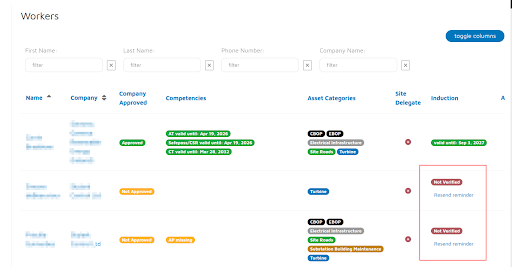
From here, you can view the workers assigned to site and Induction status. If a user has yet to complete their induction, the option to re-send is available.
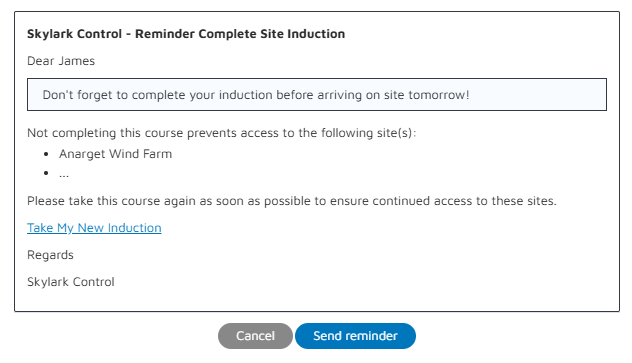
The reminder email is fully customizable and can be edited upon your preference.
Was this article helpful?
That’s Great!
Thank you for your feedback
Sorry! We couldn't be helpful
Thank you for your feedback
Feedback sent
We appreciate your effort and will try to fix the article