The Skylark Dashboard provides Operational Control (OC) with quick access to the most critical live session information, helping you respond to urgent situations without delay. The Dashboard includes direct links to pre-filtered views of Live Sessions, allowing you to jump immediately to sessions that require your attention.
Accessing Live Sessions from the Dashboard
From the Skylark Dashboard, you can access two pre-filtered views of Live Sessions that focus on time-sensitive situations:
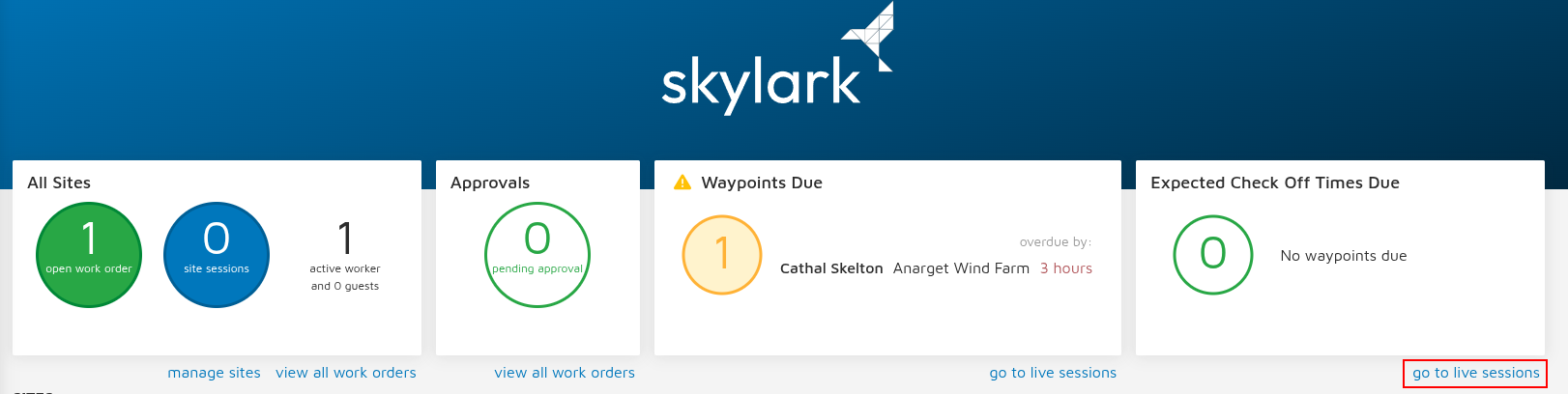
Waypoints Due - The “go to live sessions” link takes you directly to a pre-filtered view showing all sessions where technicians are approaching or have reached their scheduled waypoint check-in time. Use this to proactively monitor technicians who need to confirm their safety and location.
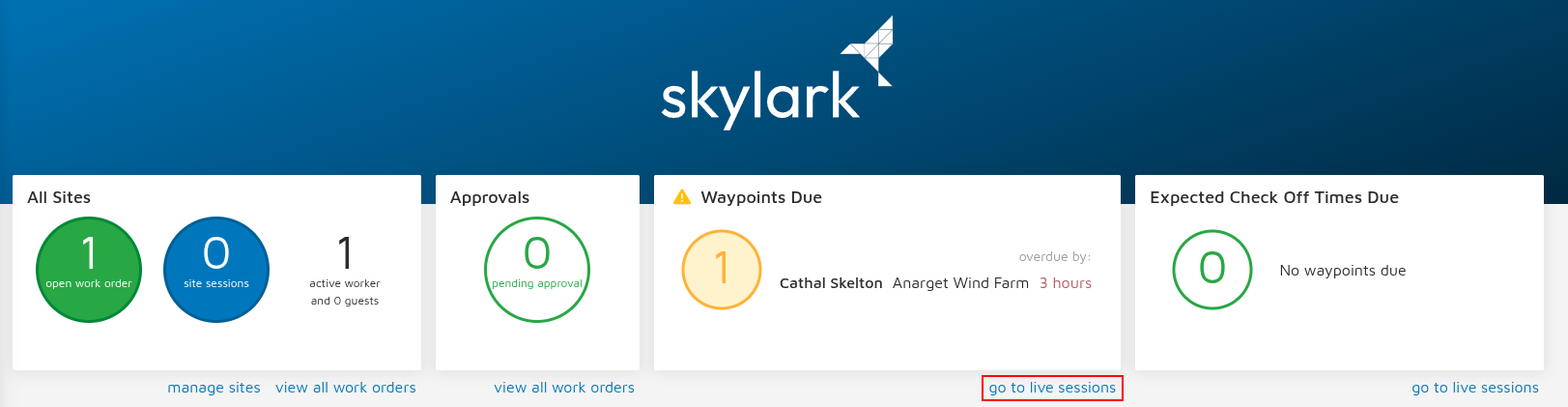
Expected Check Off Times Due - The “go to live sessions” link displays a pre-filtered list of live sessions where technicians are approaching or have reached their expected check-off time. This helps you prepare for site departures and identify any sessions that may be overrunning their scheduled duration.
Working with the Pre-Filtered Views
Once you select either link from the Dashboard, you'll be taken to the Live Sessions screen with the relevant filter already applied. From there, you can take advantage of all the Live Sessions functionality, including:
Additional quick pick filters to further refine your view
Search capabilities to find specific technicians, contract companies, or sites
Full session details including work party information, site asset details, and technician comments
This direct access from the Dashboard speeds up frequent daily tasks and helps you to focus immediately on the sessions that need your attention most. You can quickly assess the situation, contact technicians if necessary, and ensure all on-site personnel are accounted for and working safely.
Was this article helpful?
That’s Great!
Thank you for your feedback
Sorry! We couldn't be helpful
Thank you for your feedback
Feedback sent
We appreciate your effort and will try to fix the article